1 Site
$39
/year
- Use on 1 site
- All Pro features
- Free CraftRoq Forms plugin included
- 1 year of updates and support
A WordPress plugin by CraftRoq
Online payments, conditional logic and integrations for CraftRoq Forms, with scheduling, a form styler, webhooks, Mailchimp, HubSpot, ActiveCampaign and Google Sheets.
From $39/year
An add-on, not a replacement
CraftRoq Forms Pro adds to the forms you build with the free CraftRoq Forms plugin: taking the money, asking only the questions that apply, and passing each entry on to the tools you already use.
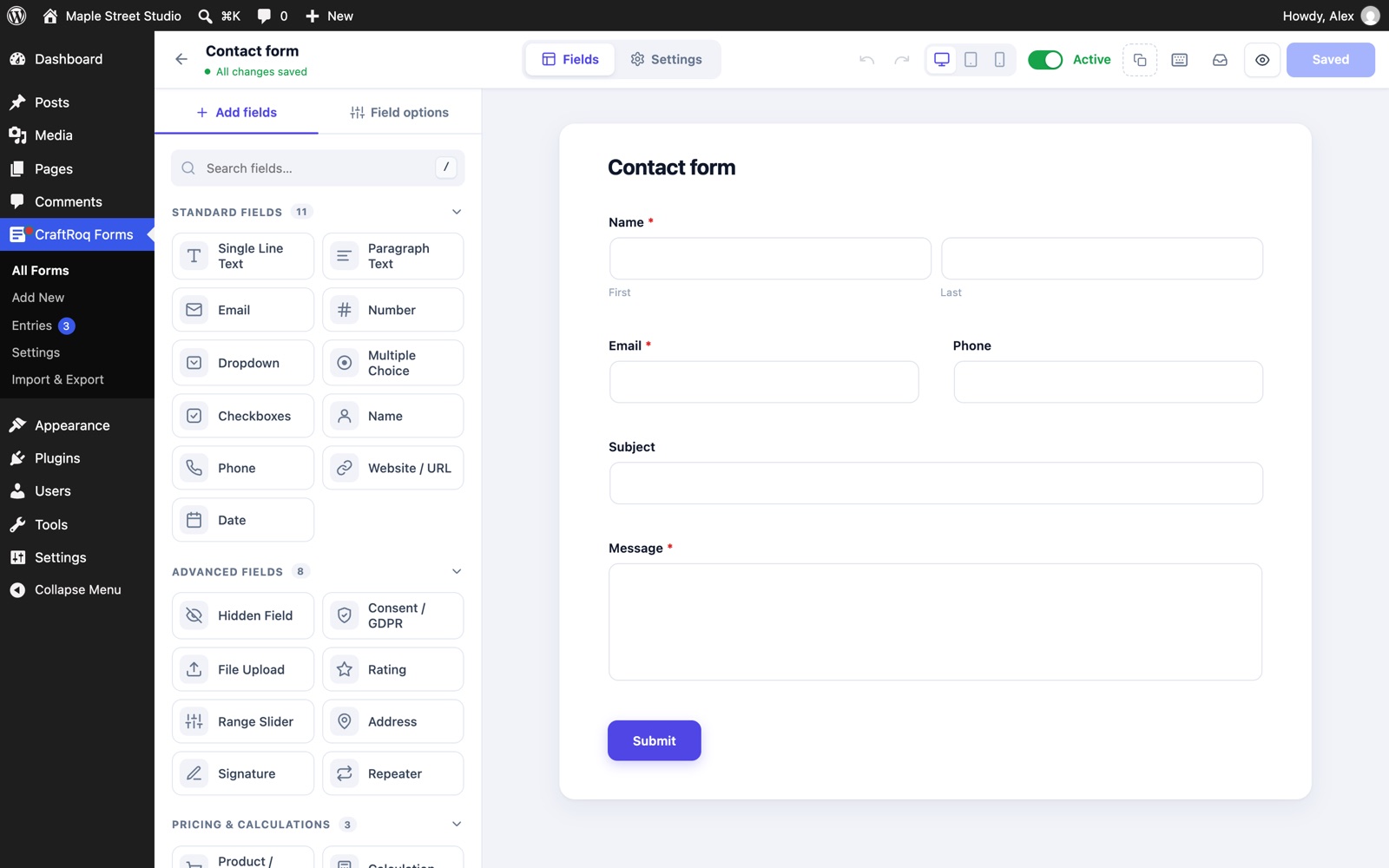
Install it next to the free plugin and the new options appear in the same builder: a Logic tab on every field, and new sections under each form’s Settings. Nothing needs to be rebuilt, and your forms and entries stay exactly where they are.
Good for
Conditional logic
Show or hide any field based on the answers to other fields. Choose whether all or any of the rules must match, then add your rules: a field, a comparison and a value.
Nine comparisons
The rules are enforced on the server too, so a hidden field is never required and never saved.
Try it One rule, as it behaves for a visitor.
Show Please tell us more if all of these rules match:
Dietary requirementsisOther
Rule does not match. The field is hidden, not required and not saved.
Workshop booking
Online payments
Send the order total to Stripe Checkout or PayPal. An unpaid order is never passed on as a finished one.
The amount comes from the server’s own calculation of the Order Total field, not from the browser.
Saved first, and not yet marked paid.
On the gateway’s own secure page. Card details never touch your site.
Stripe also confirms through a signed webhook, so a visitor who closes the tab straight after paying is still recorded as paid.
Emails, webhooks, mailing lists, CRMs and Google Sheets run once the payment is confirmed.
Scheduling and limits
Each setting has its own message for visitors, so nobody meets a form that silently stopped working.
Accept entries only between two dates, in the site’s time zone. Leave either empty to open now or stay open.
Sell 40 workshop places and stop at 40. Entries in the trash do not count.
Limit a form to people who are signed in to your site.
Workshop places taken of 40
Thank you for your interest. This form has reached its limit and no longer accepts entries.
Form styler
Set the accent, button, field and border colours, the corner radius and the button’s alignment per form. Custom CSS is there for anything else.
Try it Three of the styler’s settings.
Newsletter
Subscribe
Integrations
Passed on right after it is saved, or once its payment is confirmed when the form takes one.
API keys and gateway secrets are stored encrypted.
Send entries as JSON or form data to Zapier, Make, n8n or your own endpoint, with custom headers and an HMAC signature. Delivery runs in the background and is logged on each entry.
Add people to an audience with first and last name, tags, double opt-in and an optional consent field.
Create or update contacts with name, phone and company, optionally only when a consent box is ticked.
Create or update contacts with the same fields and the same consent option.
Add every entry as a row through a small Apps Script you paste into your sheet. No Google Cloud project needed.
Add a signing secret to a webhook and each request carries an X-CRForms-Signature header: the HMAC-SHA256 of the raw body. Check it before acting on the request.
Each service you switch on receives the data you map to it. Check the provider’s terms and your privacy policy before sending visitors’ details to a payment gateway, mailing list, CRM or spreadsheet.
$expected = 'sha256=' . hash_hmac( 'sha256', $raw_body, $secret );
$valid    = hash_equals(
	$expected,
	$_SERVER['HTTP_X_CRFORMS_SIGNATURE'] ?? ''
);
add_action(
'crforms_payment_completed',
function ( $entry_id, $form, $payment ) {
// A payment was confirmed.
},
10,
3
);Recipes
| I want to… | Use | How |
|---|---|---|
| Ask for details only when Other is chosen | Conditional logic | Show the text field if the choice field is Other. |
| Sell 40 workshop places | Payments + limits | Stripe on the form, and Maximum number of entries set to 40. |
| Run a competition for one week | Scheduling | Set Opens and Closes. |
| Add every lead to a spreadsheet | Google Sheets | Paste the sheet’s web app URL into the form. |
| Start an automation when an order is paid | Webhooks | Keep Wait for payment on; the webhook fires after the payment. |
| Build a newsletter list with consent | Mailchimp | Choose the audience and a Consent field. |
Pricing
Licences are yearly and include updates and support for the number of sites shown.
After you buy
Both plugins are included in your download.
If you ever deactivate Pro, your forms keep working as free forms. The Pro options stored on a form (logic, payment, webhooks, styling, limits) are kept, even if you edit and save the form meanwhile, and work again when Pro is back.
Questions
Not sure it fits? Ask a pre-sales question and we will tell you plainly.
Yes. CraftRoq Forms Pro is an add-on and does nothing on its own. WordPress asks for CraftRoq Forms when you activate it, and both are included in your download.
Licences are yearly and cover the number of sites you choose: 1, 5 or unlimited. They never renew without asking; renew to keep receiving updates. Every purchase has a 14-day money-back guarantee.
Yes. Use a Stripe test key (sk_test_…) or set PayPal to Sandbox. Switch to live keys when you are ready.
The entry is saved but not marked paid, and with “Wait for payment” on, no notification or integration runs for it. A payment that is cancelled, fails or is left unfinished for a day stops counting towards the form’s entry limit.
Is, is not, contains, does not contain, starts with, greater than, less than, is empty and is not empty.
No. You paste a short Apps Script into your own sheet and deploy it as a web app; the plugin sends each entry to that URL.
Yearly licences for 1, 5 or unlimited sites, with a 14-day money-back guarantee.